| Tenouk C & C++ | MFC Home | Active Template Library 2 | Active Template Library 4 | Download | Site Index |
An Introduction To Active Template Library (ATL) Part 3
Program examples compiled using Visual C++ 6.0 compiler on Windows XP Pro machine with Service Pack 2. Topics and sub topics for this tutorial are listed below. Don’t forget to read Tenouk’s small disclaimer. The supplementary notes for this tutorial are marshaling and intro to activeX control.
-
The Spaceshipsvr From Scratch
The Spaceshipsvr From Scratch
Before we dig the story further, let build Spaceshipsvr program, a COM class from scratch. As usual, in Visual C++, select File New.
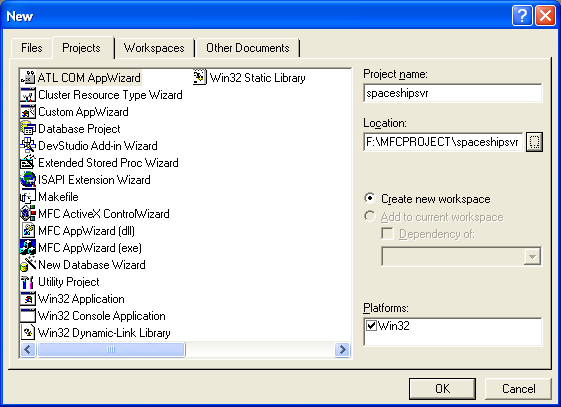
Figure 1: Spaceshipsvr – ATL COM AppWizard new project dialog.
Select Dynamic Link Library (DLL) for the server type. Leave other options to default. Click Finish button.

Figure 2: ATL COM AppWizard step 1 of 1.

Figure 3: Spaceshipsvr project summary.
|
|
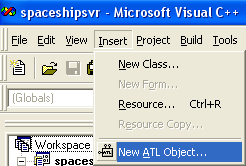
Add new ATL object. Select Insert New ATL Object.
Figure 4: Adding new ATL object.
Select Objects in Category list and Simple Object in Objects list. Click Next button.
Figure 5: Selecting a Simple Object. |

Type in AtlSpaceship in Short Name field. Click the Attributes tab.
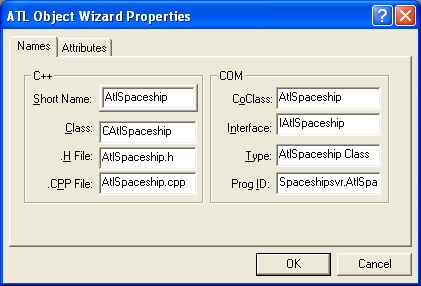
Figure 6: Entering the ATL object information (just enter the short name field).
Leave as default for the Attributes options.
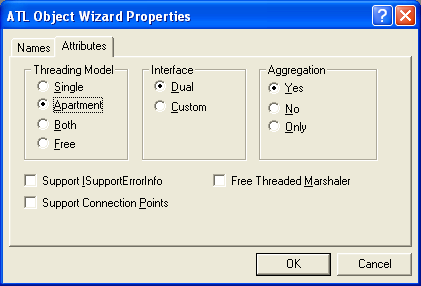
Figure 7: ATL object Attributes options.
Using ClassView, add the following member variables to CAtlSpaceship class.
int m_nPosition;
int m_nAcceleration;
int m_nColor;

Figure 8: Adding member variable to CAtlSpaceship class.

Figure 9: Adding m_nColor member variable.
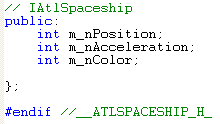
Listing 1.
Initialize those variables.
public:
CAtlSpaceShip()
{
m_nPosition = 0;
m_nAcceleration = 0;
m_nColor = 0;
}
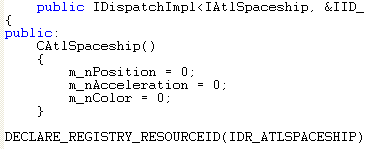
Listing 2.
Add the following method to IAtlSpaceship interface.
[in]float fStarDate, [out, retval]BSTR* pbstrRecipient
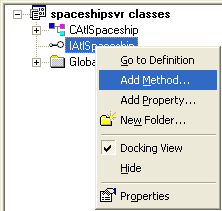
Figure 10: Adding method to IAtlSpaceship interface.
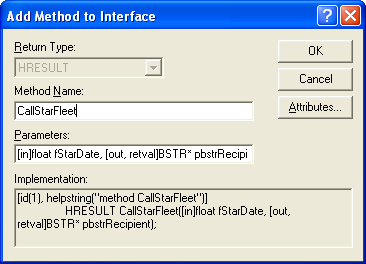
Figure 11: Entering method’s information.
Manually add the IMotion and IVisible interfaces to the project and to the class. Manually type the following interface definitions template in the IDL file (spaceshipsvr.idl) just after the:
interface IAtlSpaceship : IDispatch
{
...
...
};
[
object,
uuid(692D03A4-C689-11CE-B337-88EA36DE9E4E),
dual,
helpstring("IMotion interface")
]
interface IMotion : IDispatch
{
};
[
object,
uuid(692D03A5-C689-11CE-B337-88EA36DE9E4E),
helpstring("IVisual interface")
]
interface IVisual : IUnknown
{
};
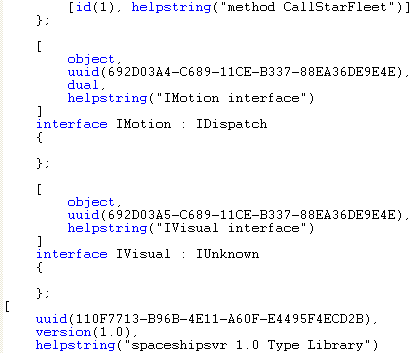
Listing 3.
Next, compile the IDL file to re-build spaceshipsvr.h.
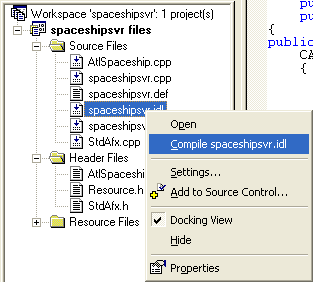
Figure 12: Compiling the IDL file.
Add IMotion interface to the CSpaceship class. Just use the IDispatchImpl template to provide an implementation of a dual interface. Add the IMotion interface as shown below.
class ATL_NO_VTABLE CAtlSpaceship :
public CComObjectRootEx<CComSingleThreadModel>,
public CComCoClass<CAtlSpaceship, &CLSID_AtlSpaceship>,
public IDispatchImpl<IAtlSpaceship, &IID_IAtlSpaceship, &LIBID_SPACESHIPSVRLib>,
public IDispatchImpl<IMotion, &IID_IMotion, &LIBID_SPACESHIPSVRLib>
{...};
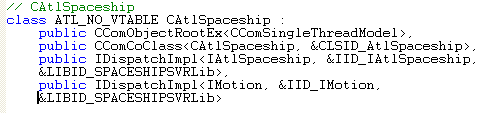
Listing 4.
Then, add the interface map for IMotion. The macro handling multiple dispatch interfaces in an ATL-based COM class is named COM_INTERFACE_ENTRY2. To get QueryInterface() working correctly, all you need to do is decide which version of IDispatch the client should get when asking for IDispatch, so add something like this for IMotion interface map.
BEGIN_COM_MAP(CAtlSpaceShip)
COM_INTERFACE_ENTRY(IAtlSpaceShip)
COM_INTERFACE_ENTRY(IMotion)
COM_INTERFACE_ENTRY2(IDispatch, IAtlSpaceShip)
END_COM_MAP()
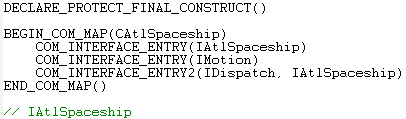
Listing 5.
Repeat the last two steps for IVisual. Add the interface as shown below.
class ATL_NO_VTABLE CAtlSpaceShip :
public CComObjectRootEx<CComSingleThreadModel>,
public CComCoClass<CAtlSpaceShip, &CLSID_AtlSpaceShip>,
public IDispatchImpl<IAtlSpaceShip, &IID_IAtlSpaceShip, &LIBID_SPACESHIPSVRLib>,
public IDispatchImpl<IVisual, &IID_IVisual, &LIBID_SPACESHIPSVRLib>,
public IDispatchImpl<IMotion, &IID_IMotion, &LIBID_SPACESHIPSVRLib>
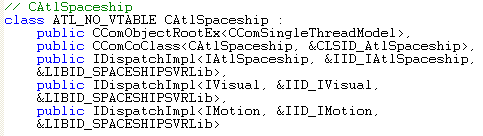
Listing 6.
Then add the interface map.
BEGIN_COM_MAP(CAtlSpaceShip)
COM_INTERFACE_ENTRY(IAtlSpaceShip)
COM_INTERFACE_ENTRY(IMotion)
COM_INTERFACE_ENTRY2(IDispatch, IAtlSpaceship)
COM_INTERFACE_ENTRY(IVisual)
END_COM_MAP()
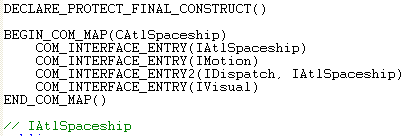
Listing 7.
Using ClassView, add the following methods to the interfaces.
|
Method |
Interface |
|
Fly() |
IMotion |
|
GetPosition([out,retval]long* nPosition) |
IMotion |
|
Display() |
IVisual |
|
Table 1. |
|
Select appropriate interface and right click mouse. Select Add Method menu.

Figure 13: Adding methods to interfaces.
|
Figure 14: Entering Fly() information. |

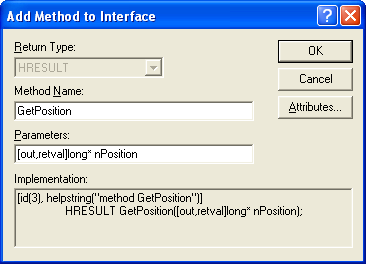
Figure 15: Entering GetPosition() information.
Highlight the IVisual interface, add the following method.
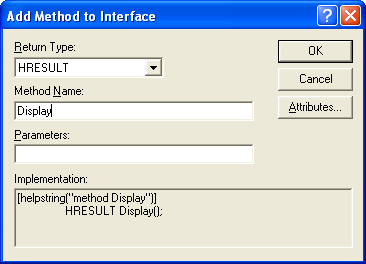
Figure 16: Entering Display() information.
You can verify the methods addition in AtlSpaceship.h file

Listing 8.
Finally, add the following implementation in the AtlSpaceship.cpp file.
STDMETHODIMP CAtlSpaceship::CallStarFleet(float fStarDate, BSTR *pbstrRecipient)
{
// TODO: Add your implementation code here
ATLTRACE("Calling Star fleet");
return S_OK;
}
STDMETHODIMP CAtlSpaceship::Fly()
{
// TODO: Add your implementation code here
// not doing too much here-- we're really just interested in the structure
OutputDebugString("Entering CSpaceship::XMotion::Fly\n");
ATLTRACE("m_nPosition = %d\n", m_nPosition);
ATLTRACE("m_nAcceleration = %d\n", m_nAcceleration);
return S_OK;
}

Listing 9.
STDMETHODIMP CAtlSpaceship::GetPosition(long *nPosition)
{
// TODO: Add your implementation code here
// not doing too much here-- we're really just interested in the structure
ATLTRACE("CATLSpaceShip::GetPosition\n");
ATLTRACE("m_nPosition = %d\n", m_nPosition);
ATLTRACE("m_nAcceleration = %d\n", m_nAcceleration);
*nPosition = m_nPosition;
return S_OK;
}
STDMETHODIMP CAtlSpaceship::Display()
{
// TODO: Add your implementation code here
// not doing too much here-- we're really just interested in the structure
ATLTRACE("CSpaceship::XVisual::Display\n");
ATLTRACE("m_nPosition = %d\n", m_nPosition);
ATLTRACE("m_nColor = %d\n", m_nColor);
return S_OK;
}

Listing 10.
Build spaceshipsvr program, generating the DLL.
Further reading and digging:
-
DCOM at MSDN.
-
COM+ at MSDN.
-
COM at MSDN.
-
Win32 process, thread and synchronization story can be found starting from Module R.
-
MSDN MFC 9.0 class library online documentation - latest version.
-
Unicode and Multibyte character set: Story and program examples.